In 2026, AI video generation exploded into mainstream creation. Sora 2’s cinematic realism, Veo 3’s 4K audio-sync, and social media’s short-video gold rush (TikTok Reels, YouTube Shorts demanding daily uploads) make professional videos accessible to everyone. No more $5K shoots or week-long edits—this guide breaks down top models, compares official APIs vs platforms like SotaVideo.ai, and delivers actionable workflows.
Core AI Video Generator Overview
2026’s top AI video models excel in resolution, duration, audio, and control. Here’s the breakdown:
Sora 2 (OpenAI)
- Resolution: Up to 4K, photorealistic physics and object permanence.
- Duration: 60+ seconds with seamless multi-shot continuity.
- Audio: Native dialogue, SFX, and music sync.
- Control: Advanced prompt adherence for camera moves, lighting, emotions.
- Best For: Cinematic narratives, ads with complex scenes.
Veo 3 (Google DeepMind)
- Resolution: Native 4K, superior motion fluidity.
- Duration: 2 minutes+, excels in long-form coherence.
- Audio: Lip-sync perfection, ambient soundscapes.
- Control: Style transfer, character consistency across shots.
- Best For: Product demos, talking-head explainers.
Kling AI 1.6 Pro & Runway Gen-4
- Kling: Hyper-realistic human motion, Asian-face optimization, 1080p@30fps.
- Runway: Artistic styles, image-to-video morphing, fast iteration.
- Shared Strengths: 10-30s clips, creative effects like explosions or transformations.
| Model | Max Resolution | Max Duration | Audio Sync | Prompt Control | Cost per 15s Clip |
| Sora 2 | 4K | 60s+ | Native | Excellent | $0.15-0.50 |
| Veo 3 | 4K | 120s | Perfect | Very Good | $0.20-0.60 |
| Kling Pro | 1080p | 30s | Basic | Good | $0.10-0.30 |
| Runway Gen-4 | 1080p | 20s | Add-on | Excellent | $0.08-0.25 |
Official APIs vs Aggregator Platforms
Official Model APIs (Direct Access)
Pros:
- Latest updates, full customization.
- Enterprise scale for high-volume.
Cons:
- High Barrier: API keys, rate limits, GPU queuing (Sora waitlists persist).
- Cost: Sora 2: $200/month base + per-credit; Veo: Google Cloud billing spikes.
- Time: Setup 2-4 hours + debugging prompts.
Real Cost Example: 100x 15s HD clips = $50+ setup time.
Aggregator Platforms (SotaVideo.ai, etc.)
SotaVideo.ai Breakdown:
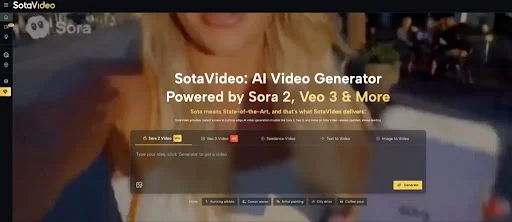
- One-Click Access: Sora 2, Veo 3, Kling, Runway in single dashboard—no API hassle.
- Credit System: $9.90/month = 2,400 credits (HD 15s = 2 credits). Unused roll over.
- Extras: Sora 2 prompt library, Bigfoot/Kissing generators, commercial rights, watermark-free.
- Speed: Prompt → Video in 30-120 seconds.
| Factor | Official API | SotaVideo.ai | Winner |
| Setup Time | 4+ hours | 2 minutes | SotaVideo |
| Monthly Cost (100 clips) | $50-150 | $4-10 | SotaVideo |
| Model Variety | 1 model | 10+ models | SotaVideo |
| Prompt Help | None | Library + Templates | SotaVideo |
| Commercial Use | Extra fees | Included | SotaVideo |
Verdict: APIs for devs with scale; platforms win 90% cases for speed/cost.
Key Usage Steps to AI Video Generator
Step 1: Topic Selection
- Identify High-Value Content: Start by analyzing current market trends to ensure maximum engagement.
- Product Ads: Focus on high-visual-appeal items. These have a high ROI because they directly drive sales through social commerce.
- Tutorials: Create evergreen content that solves problems (e.g., “How-to” guides), which builds long-term channel authority.
- Viral Entertainment: Tap into curiosity gaps, such as “Bigfoot Vlogs” or urban legends, which are perfect for rapid algorithmic growth on TikTok.
Step 2: Write Prompt (Pro Template)
- Mastering the Structure: Do not just describe the subject; control the cinematic elements. Use the formula:
- [CAMERA]: Define the movement (e.g., “Smooth dolly zoom,” “low angle tracking”) to create dynamism.
- [LIGHTING]: Set the mood (e.g., “Golden hour,” “Cyberpunk neon,” “Soft studio lighting”).
- [STYLE]: Specify the aesthetic (e.g., “Cinematic 35mm film,” “Pixar-style animation,” “Photorealistic”).
- [ACTION]: Describe exactly what happens (e.g., “360° rotation revealing features”).
- SotaVideo Tip: If you are struggling with “blank page syndrome,” browse the SotaVideo Sora 2 Prompt generator library. Copy-pasting pre-tested prompts from successful videos saves time and guarantees a higher quality baseline.
Step 3: Model & Parameters
- Select the Right Engine:
- For Creativity: Use Runway or Kling if you need artistic flair, surreal transitions, or dynamic motion control.
- For Realism: Choose Sora 2 or Veo 3 for long-form consistency, accurate physics, and photorealistic human movement.
- Optimize Settings: Always set output to 1080p at 24fps for a cinematic look. For social media (Shorts/Reels/TikTok), enforce a 9:16 aspect ratio to occupy the full phone screen.
Step 4: Render & Iterate
- The Rule of Three: AI generation involves a degree of randomness. Never settle for the first result.
- Quality Control: Generate at least 3 variants of the same prompt. Review them for common AI glitches (morphing hands, weird physics) and select the clip with the best stability and visual fidelity.
Step 5: Polish & Export
- Post-Production Magic: Raw AI video is rarely ready to upload.
- Editing: Import clips into CapCut to trim dead air and add smooth transitions.
- Audio & Text: Sync the video to an upbeat track and add on-screen text overlays to increase retention.
- Export: Render as an MP4. If adding to other footage, ensure you export with an alpha channel (transparent background) if available.
- Time Investment: Expect to spend 45–90 minutes total to produce one high-quality, fully polished 15-second video.
Ideal Use Cases of AI Video Generator
Marketing Short Videos
- E-commerce (Product Spins): Use Sora 2 to generate consistent 360-degree product showcases without an expensive studio setup. These 15-second visual loops allow customers to see every angle, typically resulting in a 3x lift in conversion rates.
- Brand Stories (Founder Intros): Use Veo 3 for its superior lip-syncing capabilities. Create 30-second clips where a virtual or real founder shares the brand mission, building trust and human connection without a camera crew.
Course Intros & Explainers
- Dynamic Openers: Instead of boring static slides, use Runway to create 10-second cinematic chapter openers. Combine abstract visuals with dynamic text reveals to keep students engaged and signify a shift in topic.
Product Demos
- Tech Visualization: Use Kling’s advanced motion understanding to create “exploding view” animations of gadgets. Show the internal components of a watch or phone expanding and contracting—visuals that would be incredibly difficult to film manually.
Entertainment Hooks
- Bigfoot Vlogs (Viral Niche): Utilize the SotaVideo generator to create “found footage” style videos of cryptids or mysteries. These blur the line between reality and fiction, acting as “TikTok gold” that drives massive comment section engagement.
- AI Kissing Scenes: Create romantic or dramatic short films. These emotional hooks perform exceptionally well on Instagram Reels, leveraging the “uncanny valley” or hyper-realism to stop the scroll.
Pro Tip:
- Scale Your Workflow: Don’t start with the hardest tools. Begin with SotaVideo’s niche generators (specifically designed for specific outcomes) to get quick wins. Once you understand the mechanics, graduate to writing custom Sora prompts for fully bespoke, high-end productions.
Conclusion
2026 marks the democratization of professional video production—Sora 2 and Veo 3 deliver Hollywood-grade realism, while aggregator platforms like SotaVideo.ai eliminate 90% of time and cost barriers, making cinematic content accessible to creators, marketers, and businesses alike. Try SotaVideo Now!