You’ve probably been there before. You have a strong image—maybe a product photo, a concept illustration, or a personal memory—but turning it into a video feels like overkill. Timelines, keyframes, editing software, and hours of adjustment often stand between you and something that simply feels alive. That frustration is what pushed me to experiment with Image to Video, not as a shortcut for professionals, but as a way to understand how modern AI rethinks motion itself.
What I discovered wasn’t effortless magic. Instead, it was something more interesting: a new creative workflow that sits between imagination and execution.
Why a Single Image Feels Incomplete
A still image captures a moment, but it also freezes it. When you look at a photo, your mind instinctively imagines what happens next—a subtle camera push, a shift in lighting, a sense of depth that isn’t explicitly there. Traditional video tools force you to manually construct those transitions.
Image-to-video AI approaches the problem differently. Instead of asking you to animate motion directly, it asks you to describe intent. From there, the system proposes movement that feels plausible, even if it’s not always perfect.
How Image-to-Video AI Actually Works
Behind the scenes, most image-to-video systems follow a similar process:
Image Understanding
The AI first analyzes the uploaded image to identify key elements such as subjects, edges, contrast zones, and rough spatial relationships. This step gives the model a basic sense of what might move and what should remain stable.
Motion Inference
Instead of simulating real-world physics precisely, the system predicts visually believable motion. In my testing, this often takes the form of gentle camera movements—push-ins, pans, or depth shifts—rather than complex object interaction.
Frame Synthesis
The AI generates intermediate frames to create smooth transitions between moments. This is where quality can vary: cleaner images with clear subjects tend to produce more stable results.
Video Assembly
Finally, the generated frames are stitched into a short video clip, typically optimized for social media or presentation use rather than long-form cinema.
What Using Image2Video.ai Feels Like in Practice
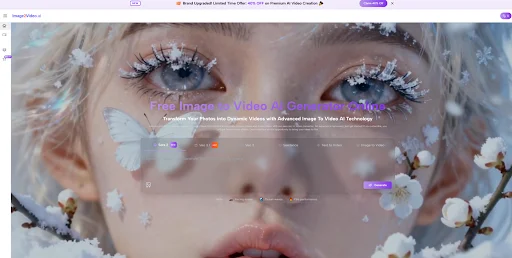
In my own tests, the workflow was refreshingly simple. Uploading an image, adding a short prompt, and choosing an output format took only a few minutes. The real value wasn’t just speed—it was iteration. I could test multiple visual ideas quickly, discard what didn’t work, and refine prompts until the motion felt intentional rather than random.
That said, the best results came when I treated the AI like a collaborator, not a button. Clear prompts and realistic expectations made a noticeable difference.
Before vs. After: A Practical Comparison
To better understand where Image2Video.ai fits, it helps to compare it with traditional approaches.
| Comparison Aspect | Traditional Video Editing | Image to Video AI |
| Starting Point | Timeline and keyframes | Single image |
| Time Investment | High | Low to moderate |
| Creative Control | Precise but manual | Intent-driven |
| Learning Curve | Steep | Gentle |
| Iteration Speed | Slow | Fast |
| Best Use Cases | Final productions | Concepts, teasers, experiments |
This comparison highlights an important point: image-to-video AI isn’t replacing professional tools. It’s filling a different creative gap.
Where This Approach Shines
Concept Validation
If you’re testing an idea—whether for marketing, storytelling, or design—being able to visualize motion early can save time and clarify direction.
Social and Short-Form Content
Short videos benefit most from subtle motion. In this context, AI-generated movement often feels natural enough to engage viewers without drawing attention to itself.
Creative Exploration
For artists and creators, image-to-video AI can act as a sketchpad. It’s not about perfection, but about discovering unexpected directions.
Limitations Worth Acknowledging
To keep expectations grounded, a few constraints are worth mentioning:
- Results vary by image quality: Clean compositions work better than cluttered scenes.
- Motion is interpretive, not physical: The AI suggests movement rather than simulating real-world dynamics.
- Multiple generations may be needed: In my experience, the first result isn’t always the best.
- Short duration focus: This approach excels at brief clips, not long narratives.
Acknowledging these limitations actually makes the tool more useful, not less. When you understand where it struggles, you can design around those edges.
How Image-to-Video AI Is Evolving
More broadly, image-to-video generation is improving fast. External research and industry discussions increasingly highlight advances in temporal consistency and visual stability across frames. While these systems are still early in their evolution, the trajectory suggests that motion prediction and realism will continue to improve with better models and training data.
A More Thoughtful Way to Use Image-to-Video Tools
Rather than asking whether image-to-video AI can replace traditional video creation, a better question might be this: how can it change the way you explore ideas? Tools like Image2Video.ai feel most powerful when used as a bridge—connecting static visuals with motion, imagination with execution.
If you approach it with curiosity instead of expectations of perfection, you may find that a single image can already tell more of a story than you thought.