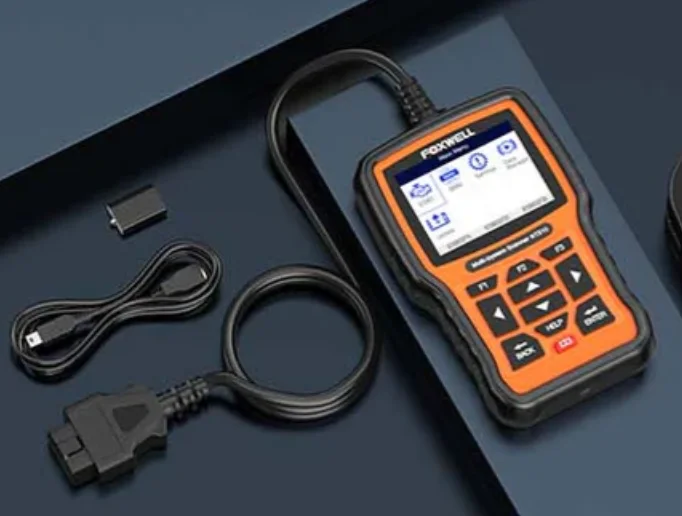
Modern vehicles are far more complex than they appear. A single car may contain dozens of electronic control units (ECUs), each responsible for a different system—engine, transmission, ABS, airbag, climate control, and more.
While a generic OBD2 scanner can read basic engine codes, it often fails to access the deeper modules that technicians rely on for real diagnostics.
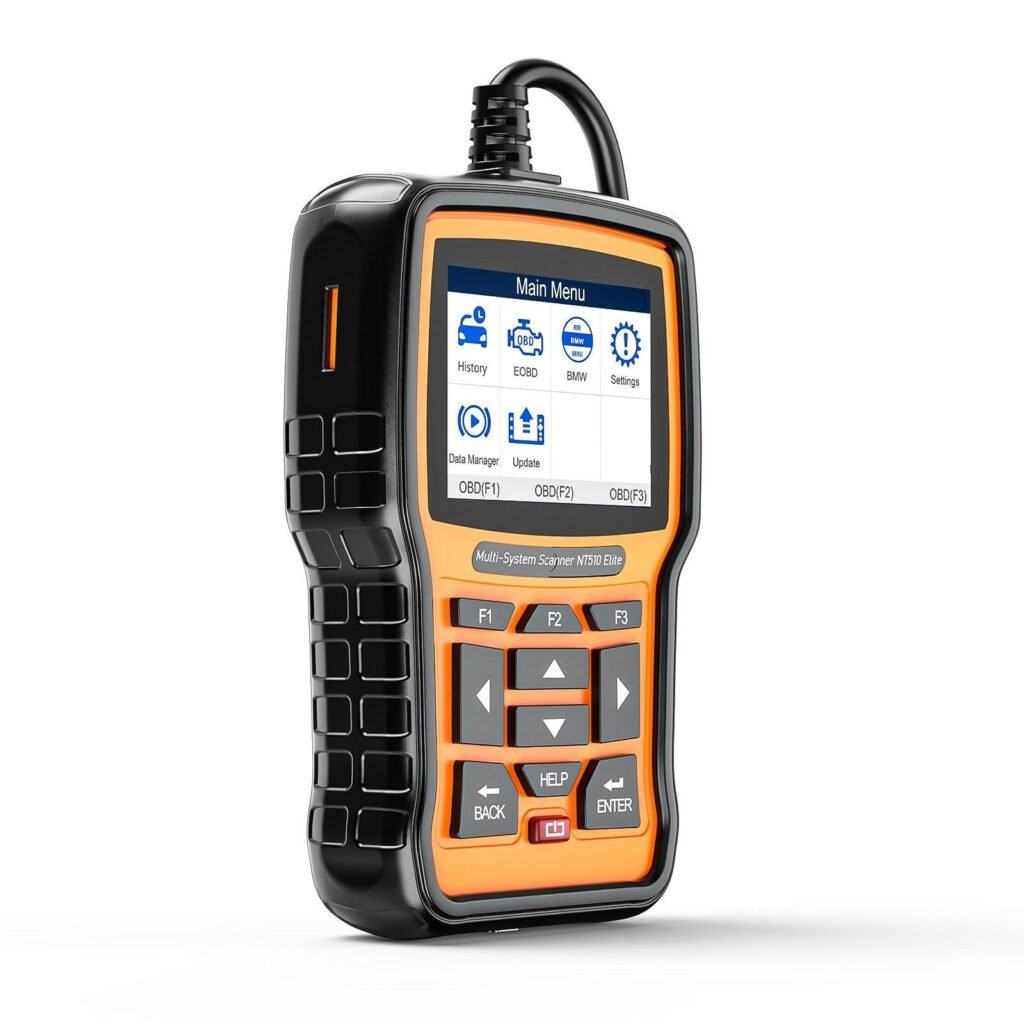
This is where the Foxwell NT510 Elite stands out. It is not built as a “one-size-fits-all” universal tool, but rather as a brand-focused diagnostic scanner, where choosing the correct software package directly determines your access level, supported systems, and available functions.
What Makes the Foxwell NT510 Elite Different?
Not a Universal Scanner — A Brand-Dedicated Diagnostic Tool
Unlike broad-coverage scan tools, the NT510 Elite is designed around the concept of brand-specific diagnostic software.
Each device comes with one preloaded software package—for example, BMW, GM, Ford, Honda, or Toyota.
If you want to diagnose a second brand, you must purchase an additional software package.
This “single-brand specialization” enables deeper module access and more accurate diagnostics, instead of the shallow, generic functions found in universal OBD2 scanners.
Full-System Diagnostic Capability
With the correct brand software installed, the NT510 Elite can access:
- ABS, SRS, TPMS
- IMMO / PATS
- DPF system
- A/C & HVAC
- Gearbox / Transmission
- Electric parking brake
- Hybrid controls (for supported models)
It can scan all ECUs—not just the powertrain—providing a dealership-level overview of your vehicle’s health.
However, your access entirely depends on choosing the correct software package.
Why Selecting the Correct Software Package Is Crucial
The Software Package Determines the Functions You Get
Every car brand has its own ECU architecture and communication protocols.
The software package acts as the key that unlocks those systems.
Choosing the wrong brand version will prevent you from entering specific modules.
For example:
- A Toyota version cannot read Ford ECUs.
- A BMW version cannot perform Honda adaptations.
- A Ford version cannot access Toyota hybrid systems.
You Get Deeper Diagnostics vs. Generic Tools
Generic OBD2 scanners usually offer only:
- Basic engine diagnostics
- Limited transmission data
- Generic resets at best
The NT510 Elite, paired with the correct software, unlocks far more—such as:
- Engine (DME/DDE)
- Transmission (EGS/TCM)
- Transfer case (VTG)
- Stability control (DSC/VSC)
- Airbag module (ACSM/SRS)
- Body control units (BCM/BDC)
- Instrument cluster (KOMBI)
- Parking brake (EMF/EPB)
- HVAC system (IHKA)
- Hybrid control units (brand dependent)
This is the level of access typically reserved for dealership scan tools.
Avoid Common Buying Mistakes
Common pitfalls include:
- Buying without confirming the vehicle’s brand and model year
- Assuming the NT510 Elite is universal
- Expecting one software package to cover multiple car brands
The correct approach:
- Select the brand you service most often
- Install the matching brand software package
- Add additional brands only if necessary
Comparing Software Packages: Which One Should You Choose?
BMW Software Package — The Most Comprehensive One
Among all available options, the BMW package is often considered the most feature-rich. It supports:
- BMW, MINI, and Rolls-Royce
- E-series → F-series → G-series → up to 2025 models
- Full-system diagnostics + coding & adaptations
- Service functions with wide compatibility
Ideal for users who frequently service BMW vehicles or handle complex repairs such as DSC, VTG, ACSM, or IBS resets.
Other Brands (GM, Honda, Toyota, Ford, VAG, etc.)
The NT510 Elite also offers software packages for:
- GM / Chevrolet / Buick
- Honda / Acura
- Toyota / Lexus / Scion
- Ford / Lincoln
- VW / Audi / Skoda / Seat
- Hyundai / Kia
- And more
These provide all-system scanning, bidirectional tests (brand dependent), and essential maintenance functions.
Who Should Choose Extra Software Packages?
Consider adding additional brand packages if you are:
- A multi-car household
- A DIY mechanic with multiple brands
- A small workshop that services common makes
This allows you to expand your diagnostic coverage without buying a second device.
Key Features Shared Across All NT510 Elite Versions
No matter which software package you choose, all NT510 Elite devices include:
- Bi-directional control / active tests
- Common maintenance resets (oil, EPB, ABS, SRS, DPF)
- Live data + freeze frame
- Lifetime free software updates
- Multilingual interface
- Compact handheld design
- User-friendly navigation
These universal features ensure usability across all supported brands.
Real-World Scenarios: Why Buying the Right Model Matters
- BMW Owner
Needs access to: DSC, VTG, ACSM, EKP, KOMBI → requires BMW software package
- Ford Owner
Needs PATS, TCM, SJB diagnostics → requires Ford package
- Toyota Owner
Needs hybrid battery checks, A/C sub-ECU diagnostics → requires Toyota package
Choosing the wrong package means these modules simply won’t open or display incomplete data.
How to Choose the Right Foxwell NT510 Elite Model for Your Vehicle
Use this quick checklist:
- What is your primary vehicle brand?
- What model year do you need support for?
- Do you require bi-directional tests or adaptations?
- Do you plan to add a second brand in the future?
- Have you checked compatibility charts for your exact model?
Choosing the right software package ensures maximum diagnostic value and prevents feature limitations.
Conclusion: Get the Best Performance by Choosing the Right Model
The Foxwell NT510 Elite is not powerful because it supports every brand—it’s powerful because it supports one brand exceptionally well.
Selecting the correct software package unlocks dealership-level functionality, accurate module access, and advanced diagnostic depth.
For vehicle owners, DIY mechanics, and small workshops alike, choosing the right Foxwell NT510 Elite model ensures you get the performance, coverage, and reliability your vehicle truly requires.