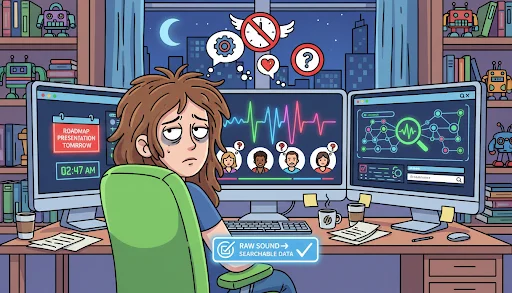
Every product manager knows the specific dread of staring at five hours of back-to-back user interview recordings with a roadmap presentation looming the next morning. It is not just about the time it takes to listen; it is about the cognitive fatigue of trying to catch that one specific moment where a user’s frustration signaled a major UX flaw. Shifting from raw sound to searchable data is the only way to stay sane in a fast-moving development cycle where every decision needs to be backed by actual evidence.
The Cognitive Burden of Manual Meeting Documentation
There’s a quiet, nagging cost to the way we’ve always done meeting notes, and it adds up. When you’re running a deep-dive session, you can’t both catch every nuance and keep the participant talking—it’s like juggling with one hand. In my sessions, the best insights show up in the messy, unscripted beats—those quick asides a shorthand note almost always misses. Banking on memory after a marathon day of sessions is a bad bet for high-stakes work, where a tiny miss can flip a launch into a pricey pivot.
Bridging the Gap Between Raw Audio and Actionable Data
The transition from a recording to a usable text format is where most research workflows break down. When you finally decide to use an audio to text converter, the primary benefit isn’t just the speed, but the immediate accessibility of the content. Being able to scan a transcript for specific keywords like “confusing” or “slow” allows you to skip the hours of playback and get straight to the evidence. It changes the dynamic of synthesis from a chore into a targeted search for truth, making the entire research phase feel significantly less like a bottleneck.
Navigating the Nuances of Multi-Person Team Syncs
Team meetings often suffer from the “who said what” syndrome, where a brilliant idea is attributed to the wrong person or lost in a flurry of cross-talk. Modern transcription tools have become remarkably adept at speaker identification, which is a detail I have come to rely on for internal accountability. And with a timestamped record that shows who’s talking when, you spend less time rehashing old threads and more time moving things forward. It turns the noisy back‑and‑forth into a tidy doc—your team’s go‑to source when questions pop up.
Transforming User Feedback into Strategic Product Decisions
User researchers often struggle with the sheer volume of qualitative data generated during a week of usability testing. You’ve got rich, emotional reactions stuck in video and audio files—basically invisible to your project tools. The fix is a workflow where transcription hums in the background, not another chore on your plate. Get interviews into text fast, paste real quotes into Jira or Notion, and let the customer’s voice live right inside the dev space.
Precise Timecoding for Evidence-Based Reporting
One of the more underrated features of a professional-grade transcription tool is the second-by-second timestamping. When you are presenting a finding to a skeptical stakeholder, being able to pull up the exact moment a user struggled with a feature provides an undeniable level of proof. From what I’ve seen, folks back a design change faster when the transcript links to the exact second in the clip. That kind of detail cuts the “he‑said, she‑said” noise and replaces it with a clear, evidence‑first story.
Simplifying the Handover of Research Assets
In large organizations, the person conducting the research is rarely the only person who needs to see the results. Sharing a text file is infinitely more efficient than asking a busy designer or developer to watch a thirty-minute video. If you are dealing with particularly large files from mobile testing or high-res recordings, you might find that using a video compressor is a necessary step before sharing or archiving your work. This ensures that the collaborative process remains fast and that no one is waiting on slow downloads just to get the context they need for a quick bug fix.
Managing the Workflow from Stakeholder Interviews to Final Documentation
The journey from a messy stakeholder interview to a clean project requirement document is rarely a straight line. It involves a lot of filtering and a lot of judgment calls. Using an AI-based tool helps significantly in this regard by providing high-level summaries that act as a first pass at the data. These summaries don’t replace human analysis, but they do point you toward the sections of the transcript that deserve the most attention. It’s about leveraging the machine to do the heavy lifting of the organization so that you can focus on the high-level strategy that requires your specific expertise.
Exporting Formats for Diverse Professional Needs
Different projects call for different kinds of docs. Some days I just need a bare‑bones TXT for sentiment analysis; other days it’s a polished PDF for the execs. Being able to pick the format means you’re not burning time wrangling text into someone’s template. That flexibility matters when PMs bounce between an engineering sync and a big‑picture marketing chat without dropping the thread.
Enhancing Accessibility in Collaborative Environments
We often talk about transcription in terms of efficiency, but we should also consider the diversity of how people process information. Some members of your team will always prefer reading to listening. By providing a transcript alongside the audio, you are creating a more inclusive environment where everyone can contribute based on how they best consume data. This leads to better discussions and more well-rounded perspectives, as the technical details of the user’s feedback are no longer gatekept by the time-intensive nature of audio playback.
Maintaining Data Integrity in Long-Term Research Projects
For projects that span months or even years, the ability to search through an entire archive of past interviews is a massive competitive advantage. If all your past interviews are transcribed and indexed, you can quickly look back to see if a current problem was mentioned six months ago. This longitudinal view of user behavior is nearly impossible to maintain without a text-based archive. It allows you to spot trends and recurring pain points that would otherwise be lost in the noise of a single release cycle, giving you a much deeper understanding of your product’s evolution.
The Practical Economics of Using Automated Transcription Tools
When we look at the cost of professional services versus the speed of AI tools, the choice for a modern media or product team becomes clear. You aren’t just paying for the text; you are paying for the elimination of a delay. In a world where your competitors are likely moving at breakneck speed, waiting forty-eight hours for a manual transcription is an unacceptable risk. Using a fast, accurate tool allows you to close the feedback loop in real-time, which is perhaps the most valuable ROI you can find in the modern tech stack.
Accuracy and the Human Touch in Technical Editing
Even great AI needs a quick human pass, especially when brand names or quirky jargon sneak in. But the gap between a blank page and a 98%‑right transcript is night and day. Suddenly, you’re not transcribing—you’re editing, which is a far better use of your time. You can quickly fix the one or two brand names the AI missed and have a perfect document ready for the whole team in minutes rather than hours.
Scaling Qualitative Research Without Increasing Headcount
The dream of any research lead is to increase the volume of insights without having to hire an army of assistants. Automation makes this possible. You can run twice as many user sessions if you know that the documentation process won’t take up the following week. This scalability allows for more iterative testing and a much more responsive product development process. It’s about building a system that can handle the reality of a busy work environment without breaking under the pressure of constant data generation.
Finalizing the Synthesis for Maximum Team Impact
As you reach the end of a research sprint, the goal is to have a set of clean, searchable, and shareable documents that the entire team can reference during the next planning session. The transcript becomes the evidence, the summary becomes the pitch, and the timecodes become the verification. By integrating these tools into your daily habit, you ensure that no valuable insight ever falls through the cracks and that every decision your team makes is grounded in the reality of the user’s experience.