Music creation has reached a point where you no longer need production skills, plugins, or expensive studio workflows to turn an idea into a real track. With modern text-to-song generation, you can describe a vibe (or paste full lyrics) and get a structured song—melody, arrangement, and even vocals—within minutes.
If you want a simple place to start, try text to song and see how quickly an idea can become a finished audio file you can actually use.
What Is Text to Song AI?
Text to song AI is a generative technology that converts written input—anything from a one-line prompt to complete lyrics—into a full music track with structure and musical coherence. Unlike older “music generators” that relied on repetitive loops, modern systems can produce:
- Original melody and chord progression
- Rhythm and arrangement (drums, bass, instruments)
- Song structure (intro, verse, chorus, bridge, outro)
- Optional vocals (depending on mode and settings)
The real shift is that your text becomes the creative direction. Instead of working backwards from a library of pre-made tracks, you start with your concept, then generate music that fits that concept.
How Does Text to Song Work?
Most text-to-song platforms follow a similar pipeline. Understanding it helps you get better results-and write better prompts.
Step 1: Input (Prompt or Lyrics)
You provide either:
- A descriptive prompt (mood + genre + instruments + scenario), or
- Full lyrics (with optional structure like verses and choruses)
Step 2: Analysis (Meaning + Musical Mapping)
The AI interprets your text to infer:
- Emotional tone (happy, nostalgic, tense, romantic)
- Energy level and tempo range
- Likely genre patterns (e.g., pop chorus lift, lo-fi swing, EDM drop)
- Lyric rhythm/meter if you input lyrics
Step 3: Generation (Composition + Arrangement + Rendering)
The model composes a complete track and renders it as audio. On more advanced platforms, you can refine outcomes by selecting parameters like:
- Genre/style
- Tempo (BPM)
- Length
- Instrumental-only vs vocal
- Model/version choices (for different output character and quality)
Who Is It For?
Text to song AI is broadly useful because it solves one universal problem: creating original, usable music quickly.
Content Creators (TikTok, Reels, YouTube, Shorts)
You need fresh music that matches each video’s mood—without copyright anxiety or endless searching. Text-to-song lets you generate tracks that fit your edits, pacing, and content style.
Brands, Marketers, and Agencies
Want a product theme, brand intro, or campaign background music? Text-to-song AI can help you iterate fast: create multiple variations, test different tones, and match exact ad lengths.
Musicians, Songwriters, Producers
Even experienced artists use text-to-song for:
- Demo creation
- Melody exploration
- Writer’s block breakthroughs
- Rapid experimentation across genres
Educators and Hobbyists
Turn poems into songs, create classroom projects, or generate ambient music for focus and relaxation—no studio skills required.
Three Simple Steps to Use Text to Song on ToMusic
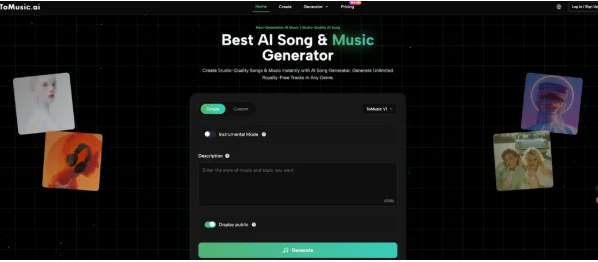
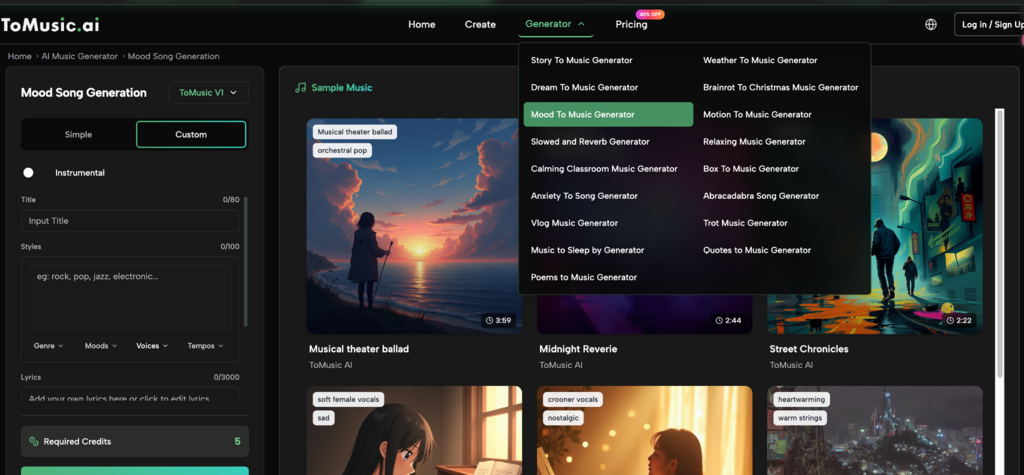
ToMusic is best understood as an “AI music studio” that supports both quick generation and more controlled creation. Here’s the simplest workflow.
- Start With the Right Mode: Simple vs Custom
- Simple Mode: Fast results from a short prompt (great for beginners or quick inspiration).
- Custom Mode: More control when you want to guide structure, lyrics, and details.
Tip: If you’re not sure, start in Simple Mode to generate a baseline, then switch to Custom Mode to refine.
- Add Creative Direction: Prompt + (Optional) Lyrics Structure
For stronger results, include specifics:
- Genre (pop, hip-hop, EDM, cinematic, lo-fi)
- Mood (uplifting, nostalgic, tense, romantic)
- Tempo/energy (slow, mid-tempo, high-energy)
- Instruments (piano, synth, acoustic guitar, strings)
- Use case (ad, vlog, trailer, meditation)
If you’re using lyrics, format them clearly:
- Verse / Chorus / Bridge sections
- Short lines that fit a natural rhythm
- A repeated hook for choruses
- Generate Variations, Then Export Like a Pro
The fastest way to reach “professional” is iteration:
- Generate 2–4 variations
- Compare hooks, rhythm, vocal tone, arrangement
- Keep the best, then export
For real workflows, exports matter. Aim to:
- Download MP3 for quick use
- Download WAV for higher-quality editing
- Use stems (if available in your plan) to adjust drums/bass/instruments separately
- Remove vocals (if needed) to convert a vocal track into a cleaner background version
If you want a broader overview of use cases and workflows, you can also explore text to song ai for a more scenario-driven entry point.
FAQs About Text to Music (and Text to Song)
What’s the difference between “text to music” and “text to song”?
- Text to music usually means generating instrumental tracks or general background music from text prompts.
- Text to song typically implies a full song form—often with vocals, lyrical structure, or more “song-like” composition.
In practice, many tools support both. The difference is whether you’re aiming for soundtrack/BGM or a complete song experience.
Can I use my own lyrics?
Yes—many platforms allow you to paste lyrics and generate music around them. You’ll get better results when lyrics are structured into sections (Verse/Chorus/Bridge) and written with simple, singable rhythm.
Do I need music theory to get good results?
No. But you’ll get better outcomes if you learn to describe music like a director:
- Mood (uplifting, dramatic, dreamy)
- Genre references (pop, cinematic, lo-fi)
- Tempo (slow, mid, fast / BPM)
- Instruments (piano, strings, synth bass, acoustic guitar)
Think “creative brief,” not “music theory.”
Is text-to-song music safe for commercial use?
This depends entirely on the platform’s licensing terms. Some tools are unclear about usage rights, which is risky if you monetize content or run client projects. Always look for explicit terms such as “commercial use,” “commercial rights,” or “royalty-free licensing” in the product documentation and plan details.
How do I avoid generic-sounding AI music?
Use more specific direction:
- Add a unique instrument combo (e.g., “muted guitar + brushed drums + warm synth pad”)
- Specify arrangement goals (“strong hook in chorus,” “minimal verse,” “big drop at 0:45”)
- Generate multiple variations and pick the best
- Use stems to tweak balance if your workflow supports it
What file format should I export?
- MP3: best for quick uploads and everyday usage
- WAV: best for editing, mastering, and professional workflows If stems are available, export them when you plan to mix the track under voiceovers or adjust parts independently.
Conclusion
Text to song AI isn’t just a novelty anymore—it’s a practical creative workflow. In 2026, the advantage isn’t simply “AI can generate music,” but that you can generate the right music on demand: tailored to a scene, a story, a brand, a video edit, or a set of lyrics.
If you want results without wrestling with complex production tools, start by writing a clear prompt, generate a few variations, and export the version that best matches your goal. And if you’re building a repeatable workflow for content, marketing, or music projects, using a platform designed for real output (formats, control, and iteration) makes all the difference.